
Payment widget
Add a customizable crypto payment button to your website without building a payment form from scratch.
- What you need:
- Access to your site's code to add the widget

The Cryptadium crypto payment API is a REST API to create payments, receive webhooks and track payment statuses, with documentation. It suits companies with a developer, where payment is part of an order on a website, app or platform. Company review: 1–3 business days; integration: 1–2 days of developer time. Fees 0.9% → 0.7%. Businesses only, AML/KYB checks.
Click “Discuss terms” to send a request to a manager, or “Open an account” to register your company.
Pass the company review (KYB): it takes 1–3 business days. The document list is on the Registration & compliance page.
Integrate the API using the docs: creating payments and webhooks takes 1–2 days of developer time.
Take your first payment: the customer pays, the status arrives by webhook and shows in your dashboard.
An API key from your dashboard, one request to create a payment and a webhook with its status. You can copy the sample request.
Generate the key in your dashboard, under Store Connection.
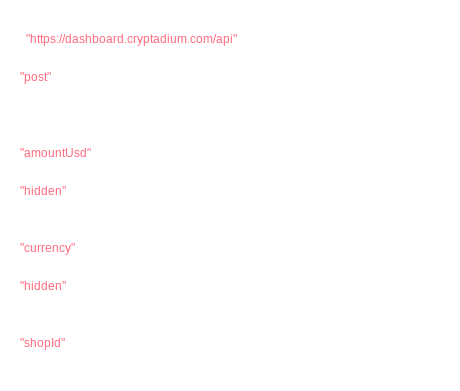
Send the amount, currency and shop ID — see the sample request below.
curl -X POST https://dashboard.cryptadium.com/api/v1/payment/ \
  -H "Content-Type: application/json" \
  -d '{
    "AmountFiat": 999,
    "FiatCurrency": "USD",
    "Currency": "BTC",
    "ShopId": "your_shopId"
  }'
Set the webhook URL and password in your dashboard — you'll receive each payment's status there.
{
  "PaymentId": 2359,
  "ShopId": "your_shopId",
  "Amount": 0.001,
  "Currency": "BTC",
  "Email": "client@example.com",
  "ClientId": "542",
  "Status": "Success",
  "Signature": "b13deba2ab89a5bcc572b9878aa7acc5",
  "SignatureHmac": "a733e368dfbf7b8f2900089834c115e2675a5c766b404944e85576b92925b8f0",
  "BillingID": "04202508500704000400",
  "AmountFiat": 100.1,
  "FiatCurrency": "USD",
  "Insufficient": false,
  "Source": {
    "Amount": 0.001,
    "Type": "Crypto"
  },
  "Test": false
}Every step from invoice creation to transaction completion is automated, reducing errors, easing the workload on your staff, and speeding up order processing. API payments let you handle any number of transactions in parallel, which is especially important for large websites with high volume.
automatically, no staff involved
Dashboard with full statistics
Detailed reporting for every payment
Analytics export with convenient filters
Customer base analysis
which customers use cryptocurrency, which products they buy, and how often they make purchases
Fees 0.9% → 0.7%, lower as your volume grows · Withdrawals: 0% Cryptadium fee · Pricing →
Open an account: once your company review is done (1–3 business days), connect Cryptadium API acquiring and automate your business!
Connect CryptadiumCryptadium serves legitimate B2B businesses in these industries

Cross-border sales with digital asset payments.

Billing corporate clients across jurisdictions.

PSPs, aggregators and fintechs integrating digital assets.

Agencies, studios and consultancies with global clients.

Online schools and B2B courses with international reach.

Delivery and freight paid in cryptocurrency.

Money Transfer Operators (MTOs) and regional remittance services using digital assets as a settlement layer.

Companies that develop software, provide IT services and outsourcing.
Add a customizable crypto payment button to your website without building a payment form from scratch.

Connect crypto payments through ready-made modules for WooCommerce, OpenCart, PrestaShop, osCommerce, Tilda, GetCourse and InSales.
The same API, just simpler to set up. Step-by-step guides are in your dashboard, in the plugins section.

Create a direct payment link and send it through email, messengers or social media.

Crypto asset volatility protection.
Learn more
Set up recurring cryptocurrency payments with custom billing periods.
Learn more